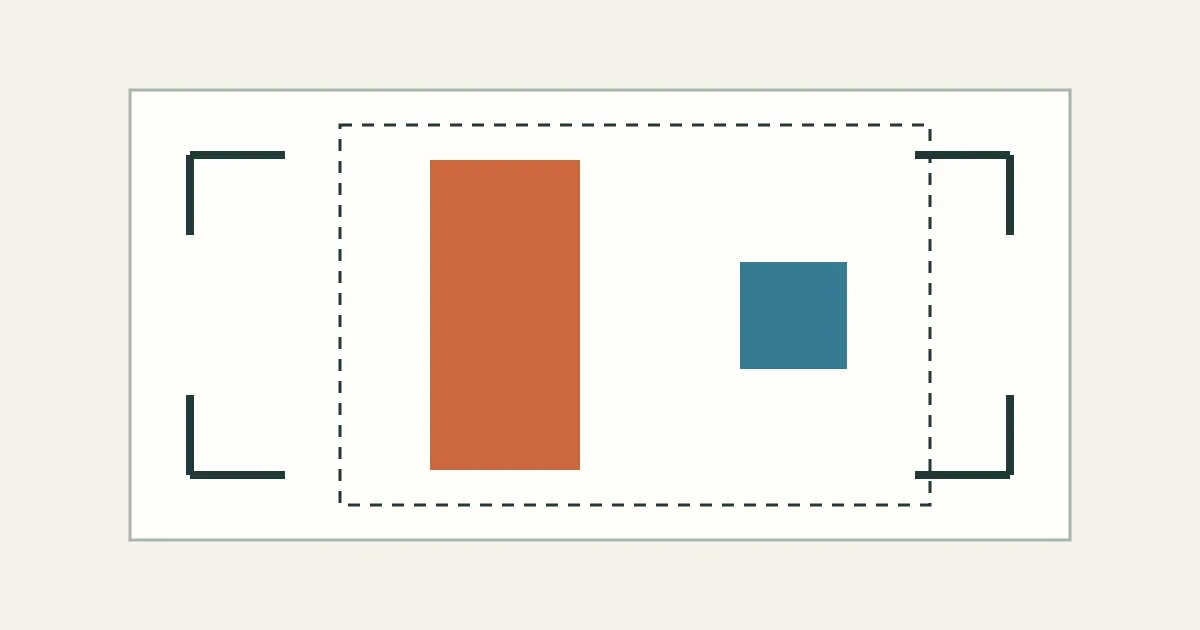
Your subject looks too small. Walking closer, using a longer focal length and cropping later can all make it fill more of the picture. The useful distinction is what you want to keep: the viewpoint, the surrounding scene, or the original pixel dimensions.
Move to change the relationship between subject and background. Zoom in to tighten the framing from a viewpoint you like. Crop when the recorded view works and the remaining pixels meet your needs. These choices can work together; you do not have to commit to just one.
Choose the relationship before the frame edges
Moving the camera changes how nearby and distant objects line up and how large they appear relative to each other. That relationship is the practical meaning of perspective here. Step toward a nearby subject and it grows faster in the frame than a much more distant background. Move sideways and you may separate objects that previously overlapped.
Changing focal length from a fixed viewpoint changes how much of that view fits in the frame. A longer focal length records a narrower angle of view and makes scene elements larger on the sensor, as Nikon's focal-length guide explains. It does not, by itself, give the camera a new view around the subject.
For an ideal camera held in the same position and direction, a longer focal length enlarges the foreground and background by the same factor. A matching crop of the wider picture therefore preserves the same geometric relationships. This follows from the perspective projection model; real lenses can differ in distortion and other optical behavior.
The familiar compressed-background look often combines a longer lens with a more distant camera position. Notice that Canon's perspective examples change both: its 50 mm example is labeled 2 m from the subject, and its 100 mm example 4 m. Those are different viewpoints as well as different focal lengths.
One scene, three ways to make the subject larger
The three choices below make the orange subject twice as tall in the final frame, but only moving changes its size relative to the blue background marker.
Start with a subject 4 m from the camera and an equally tall background marker 12 m away. Use a 50 mm focal length. Now compare walking forward 2 m, changing to 100 mm without moving, and making a central 2× crop of the original picture. The shapes are a calculated illustration, with the same scene and camera direction throughout.
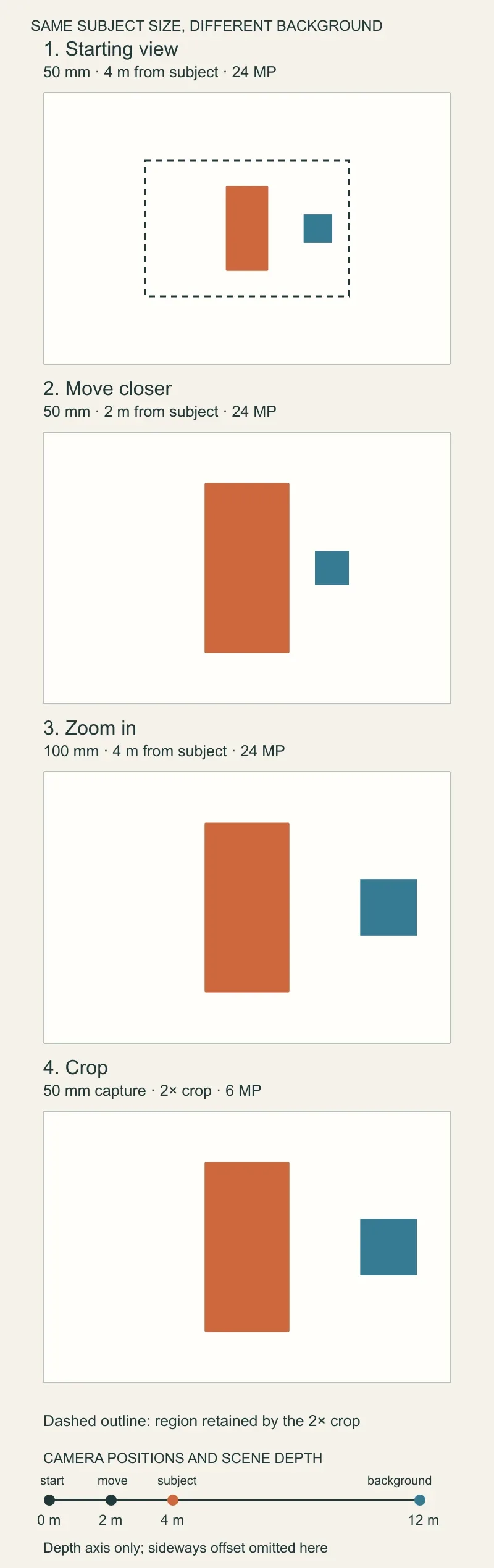
Original Afterlight geometric illustration. Orange and blue objects are each 0.6 m tall. The three tighter views have equal subject height; compare the blue marker against it. Pixel labels describe a hypothetical 6000 × 4000 capture, not measured camera performance.
| Choice | Subject distance | Background distance | Background height relative to subject | Pixels kept |
|---|---|---|---|---|
| Starting view, 50 mm | 4 m | 12 m | One third | 24 MP |
| Move forward 2 m, keep 50 mm | 2 m | 10 m | One fifth | 24 MP |
| Stay put, use 100 mm | 4 m | 12 m | One third | 24 MP |
| Stay put, crop the 50 mm image 2× | 4 m at capture | 12 m at capture | One third | 6 MP |
Moving closer makes the background smaller relative to the subject, even though the background itself becomes slightly larger in the frame. You moved toward both objects, but halved the distance to the subject while reducing the background distance only from 12 m to 10 m. This is why “make the background smaller” needs a reference: smaller than the subject, or smaller on the page?
Zooming and cropping retain the starting size relationship. In this model they also retain the same overlaps and select the same frame edges. The difference is how the tighter image is recorded: 100 mm projects it across the full sensor, whereas the crop retains only the middle of the 50 mm recording.
A background distraction near an edge may disappear when you tighten the frame. A distraction directly behind the subject will remain behind it. Changing your position can solve that alignment problem; enlarging the same view cannot.
Count the crop you can afford
A 2× crop halves both pixel dimensions, leaving one quarter of the recorded pixels. From a 6000 × 4000 image, you retain 3000 × 2000 pixels: 6 MP from an original 24 MP. Here “2×” means doubling the subject's linear size when the cropped and original pictures are displayed at the same dimensions.
Check the actual crop dimensions against the output you need. If you need a 3000 × 2000 file, this example supplies that many original pixels. If you need 4500 × 3000, it falls short and requires upsampling to reach those dimensions. Neither count alone establishes whether the photograph looks sharp enough: inspect the actual image at the intended output size.
A longer focal length can put more recorded samples across the subject on the same camera. Whether those samples contain more useful detail depends on the capture, including lens performance, focus and motion. The diagram cannot rank those outcomes. Our explanation of crop sensors and lens reach makes the same distinction between tighter framing and additional detail.
Make the choice in the field
When you can move, choose a viewpoint that gives the subject and background the relationship you want, then set the framing. Try this sequence:
- Look behind the subject. Decide whether the background should feel larger or smaller relative to it, and whether an overlap needs fixing. Change position while watching those relationships. Stay within access limits and avoid disturbing the subject.
- Fill the frame from that position. Increase focal length if the subject needs to be larger and your available lens allows it. Check focus and the frame edges again before shooting.
- Leave only the margin you need. A moving subject or fleeting moment may justify a wider capture. Crop afterward, checking both composition and the remaining pixel dimensions.
In our example, suppose you like the blue marker's size relative to the subject, but want the orange subject twice as large. Stay at 4 m and use 100 mm. If you have only 50 mm, a 2× crop preserves that relationship and leaves 3000 × 2000 pixels. If you instead want the marker less prominent relative to the subject, moving forward produces that change.
A fixed shooting position changes the order of work: choose among the framing options available from there. A passing expression may make taking the wider picture now more valuable than achieving a full-frame composition too late. Decide what must stay fixed—viewpoint, timing or required output—before choosing how to make the subject larger.
How this comparison was made
This is an explanation of geometry, not a lens test. Afterlight Editors used AI assistance to research, draft and construct the original diagrams. The calculation uses a distortion-free pinhole model: projected height equals focal length multiplied by object height, divided by camera-to-object distance. Focal length and projected height share one unit; object height and distance share another.
The model uses a 36 × 24 mm image area and two upright, parallel 0.6 m objects. Their starting distances are 4 m and 12 m, with the background marker offset 1.5 m to the right. A 50 mm focal length gives projected heights of 7.5 mm and 2.5 mm. Moving forward 2 m makes them 15 mm and 3 mm; switching to 100 mm from the original position makes them 15 mm and 5 mm. Cropping the original to half its width and height gives the same framing as that 100 mm model.
The model follows OpenCV's documented projection equations. It omits lens distortion, changes in framing during focusing, shifts in the lens's effective viewpoint, and background blur. The hypothetical pixel counts are arithmetic, with no claim that all pixels resolve distinct detail. Those limits leave the compositional decision intact: changing position changes the view; changing focal length or cropping selects how much of that view to keep.
← Back to the journal6 answers